
What's New
Every update, every improvement. The full story of PrimeTask.
PrimeTask for Windows & Opportunities
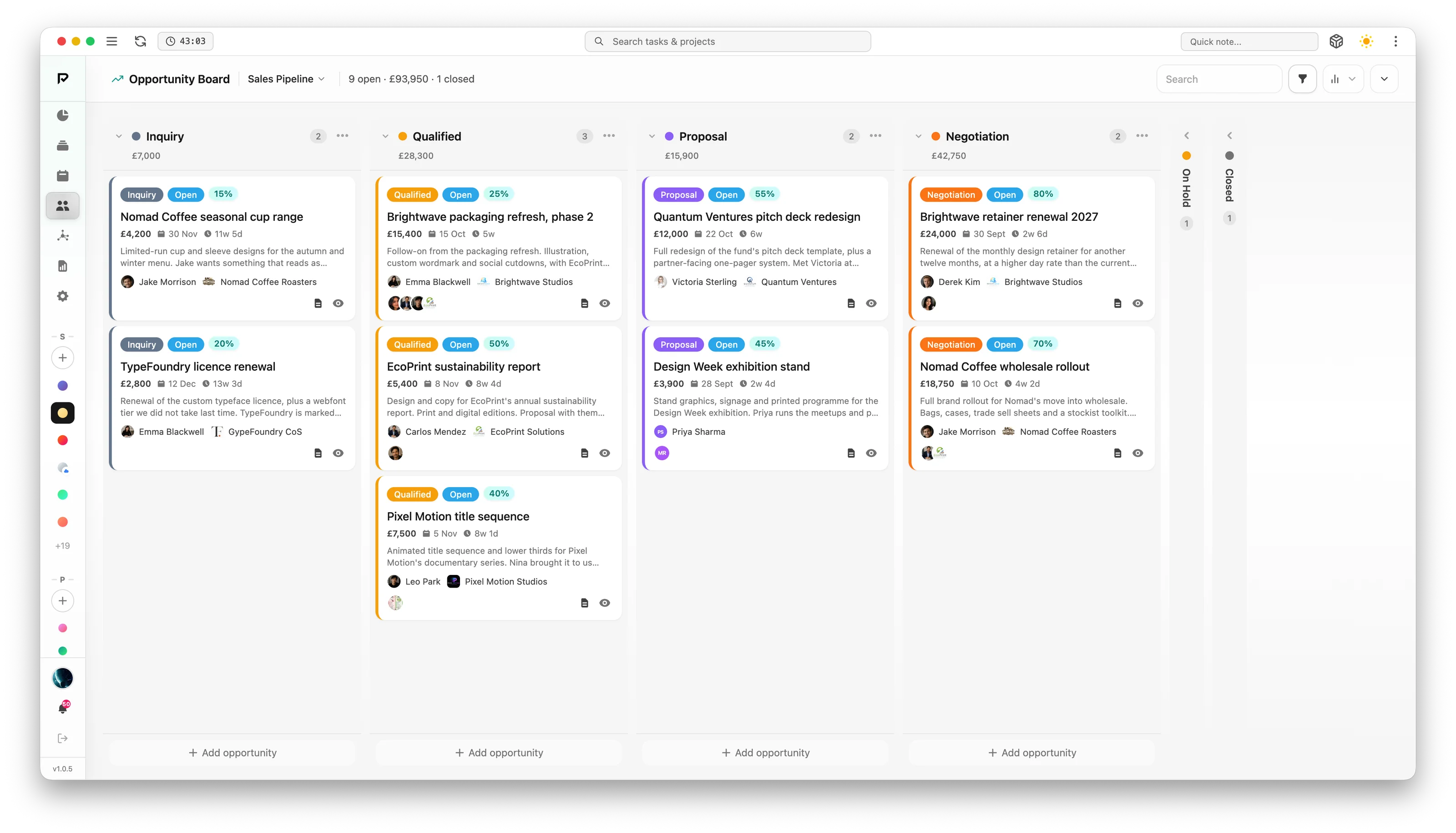
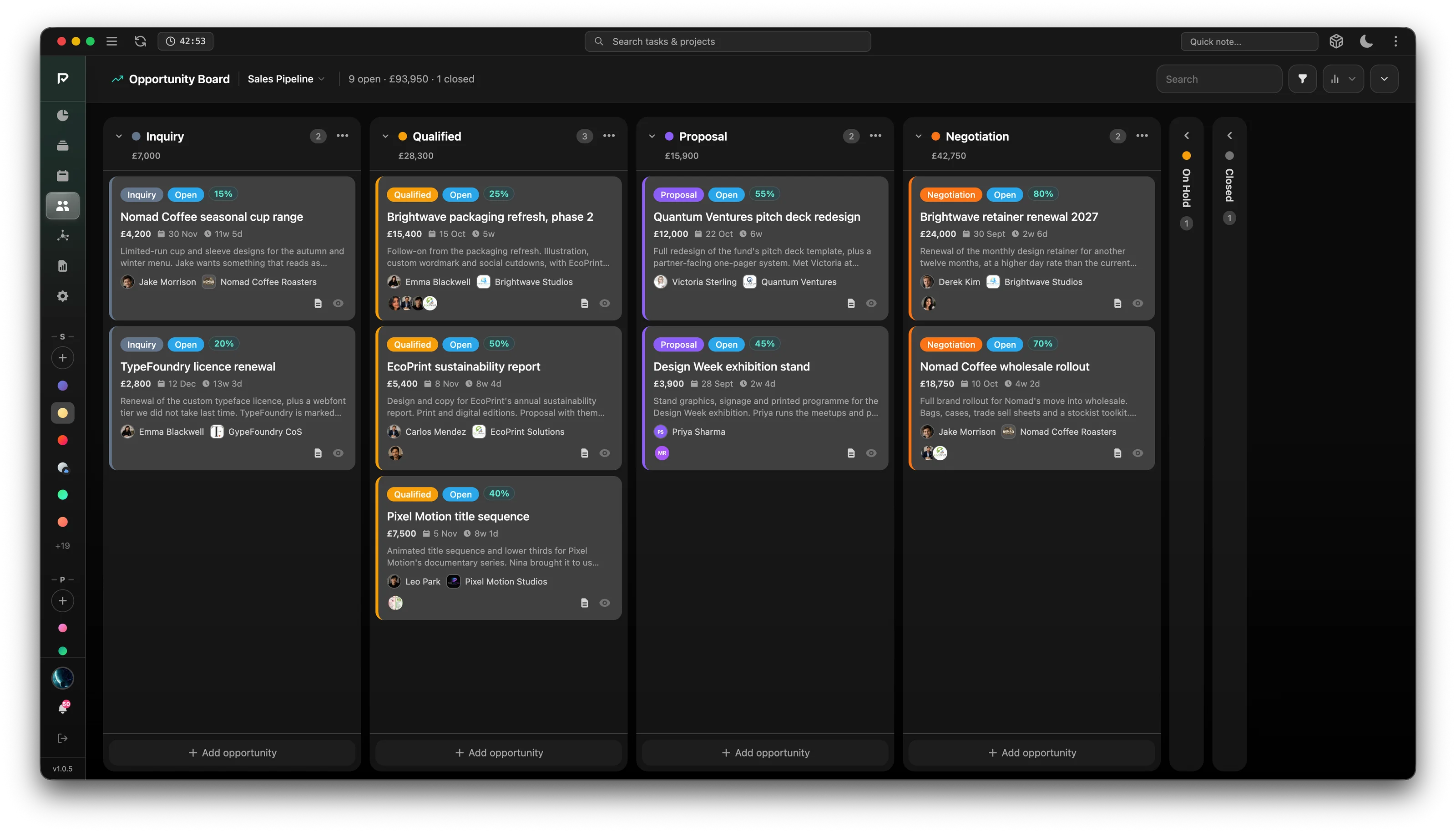
PrimeTask now runs on Windows, and your licence already covers it, on any mix of Mac and Windows computers. This release also brings Opportunities to PrimeCRM: track a sale from first enquiry to won or lost on a pipeline you shape yourself, with its value, the people involved, the next tasks, and its whole history in one place, and reports where every figure opens the list behind it. Time tracking lets you log a session with its real start and end and correct any entry afterwards, reminders can be set anything up to a year ahead, and your Tasks view can sort by more than one thing. A backup now restores safely on another computer, iCloud asks which copy to keep before it replaces anything, and phone numbers finally look like phone numbers. A broad round of CRM, notes, sidebar, search, and sync work completes the release.
- PrimeTask now runs on Windows, and your licence already covers it on any mix of Mac and Windows computers
- Track a sale from first enquiry to won or lost, on a pipeline with your own stages, and close it with the reason recorded
- Opportunity reports show where your sales came from, how each stage converts, and your win rate, and every figure opens the list behind it
- Log time with its real start and end, and correct the date and times of any entry afterwards
- Restore a backup on another computer and your spaces, avatars, and shortcuts come back ready to use
- Sort your Tasks view by more than one thing, and set reminders anything up to a year ahead
Task Comments Are Here
PrimeTask 1.0.4 gives every task a conversation of its own. Task Comments keep decisions, blockers, and progress with the work instead of in your inbox, written in Markdown with attachments, replies, types, statuses, and mentions that link one task to another. Threads are reachable from wherever you work, appear in search, and your connected AI assistant can read one before it starts or write up what it did when it finishes. Alongside that, Markdown files can be dragged onto a PrimeFlow canvas and read there as real documents, notes can point at a task by name, Compass now covers every space without switching you across, and the Tasks report gained a short summary that stays about two pages however much work is in range. A broad round of PrimeFlow, CRM, Apple integration, and File Sync work completes the release.
- Every task now has its own comment thread, so what was decided, what is blocked, and what changed lives with the work
- Comments are written in Markdown with headings, lists, tables, and checklists, and take attachments, replies, types, statuses, pins, and reactions
- Mention another task and both tasks show the link, or mention people, contacts, and companies without leaving the thread
- Reach a thread from wherever you work, including CRM tasks, and find any comment from search
- Your connected AI assistant can read a thread before it starts or write up what it did when it finishes, under a name you choose
- Drag a Markdown file onto a PrimeFlow canvas and read it there as a real document, with tables and tick boxes intact
ChatGPT, Codex & Smarter Workflows
PrimeTask 1.0.3 connects your workspace to ChatGPT and Codex through one guided local setup, while giving you complete control over what your assistant can read, change, and access. Bring Your Own AI also reaches much further across PrimeTask, with complete contact and company details, company relationships, isolated project CRM, richer activities, custom-field configuration, automatic Project Database columns, and immediate updates in open CRM views. Beyond AI, Planned Occurrences make recurring work easier to plan, Apple Calendar and Reminders syncing is safer and more reliable, FlowMode can run media-led presentations automatically, Setup Wizard now understands existing spaces, and a broad round of polish improves calendar planning, media playback, boards, themes, subtasks, and checklists.
- Connect the ChatGPT desktop app and Codex to PrimeTask with one guided setup, then work with PrimeTask from either conversation mode
- Planned Occurrences place read-only previews of upcoming recurring tasks across month, week, and day views
- FlowMode can automatically play media, wait for clips to finish, and loop a presentation without manual input
Calendar, Reminders & Quality Fixes
PrimeTask 1.0.2 is a focused quality release. There is no new headline feature this time. Instead it sharpens the details across Custom Fields and the Project Database, makes Apple Calendar and Reminders simpler to set up right from Settings on your Mac, and clears up a set of rough edges people ran into. Adding a custom field with a name already in use now tells you straight away instead of quietly failing, creating a Project Database tab takes you straight to it, and the in-app guide now walks you through turning a tab into a database view. On the Mac, you can pick which calendars appear in PrimeTask and sync them without leaving Settings, recreate a missing Apple Reminders list in one click, and a handful of calendar sync fixes keep your due times and selected calendars behaving exactly as you expect.
- Custom Fields, a name that is already in use is now flagged straight away in the editor, with clear guidance on what to do next, instead of the field quietly failing to save
- Project Database, creating a new tab takes you straight to it, the in-app guide now covers building a database view, and a tab's options are a single click away
- Apple Calendar on Mac, set up calendar sync entirely from Settings, pick which calendars appear, press Save & Sync, and choose your task-sync calendar right there
Project Database, Tracked Time & PDF Export
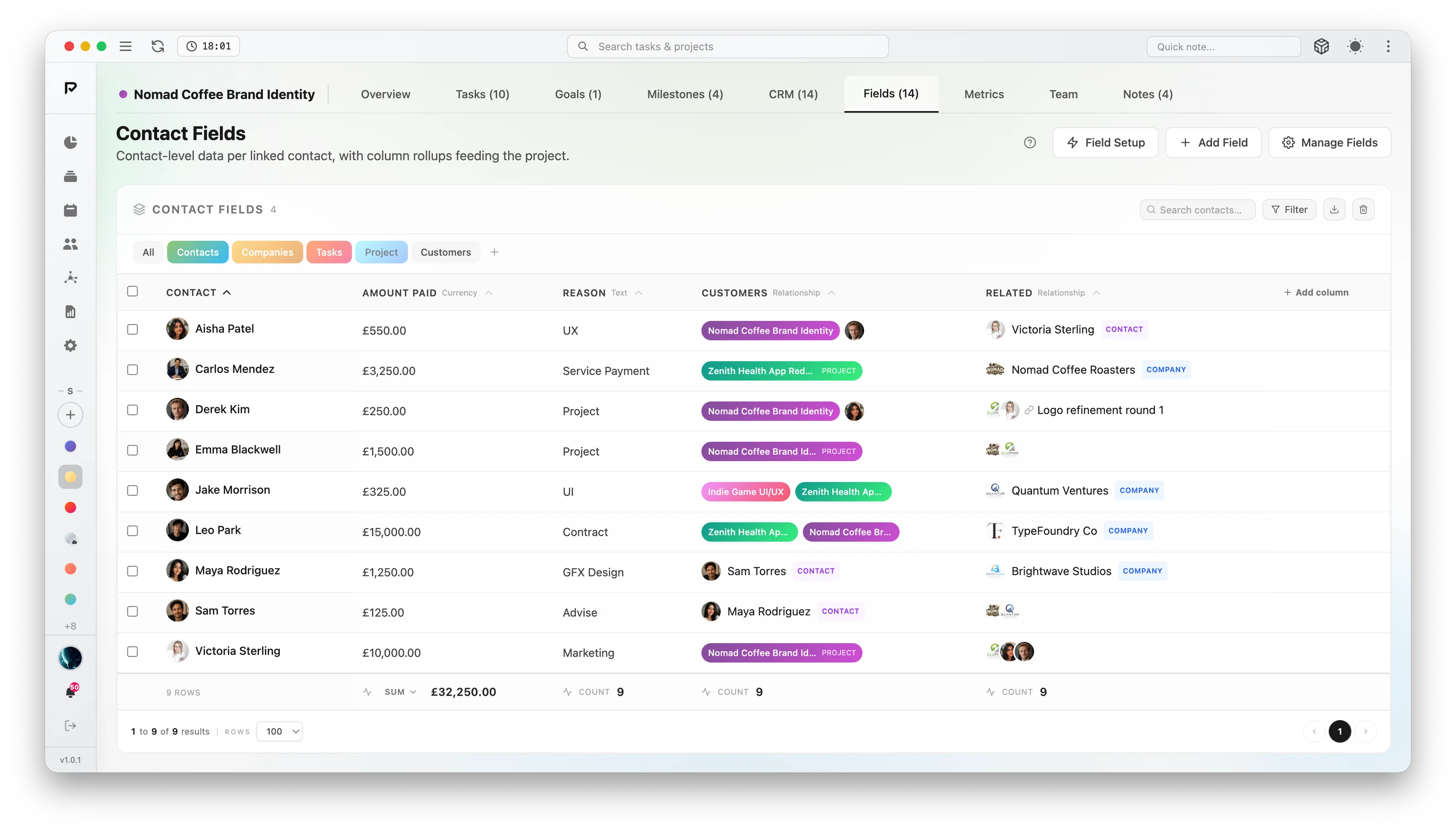
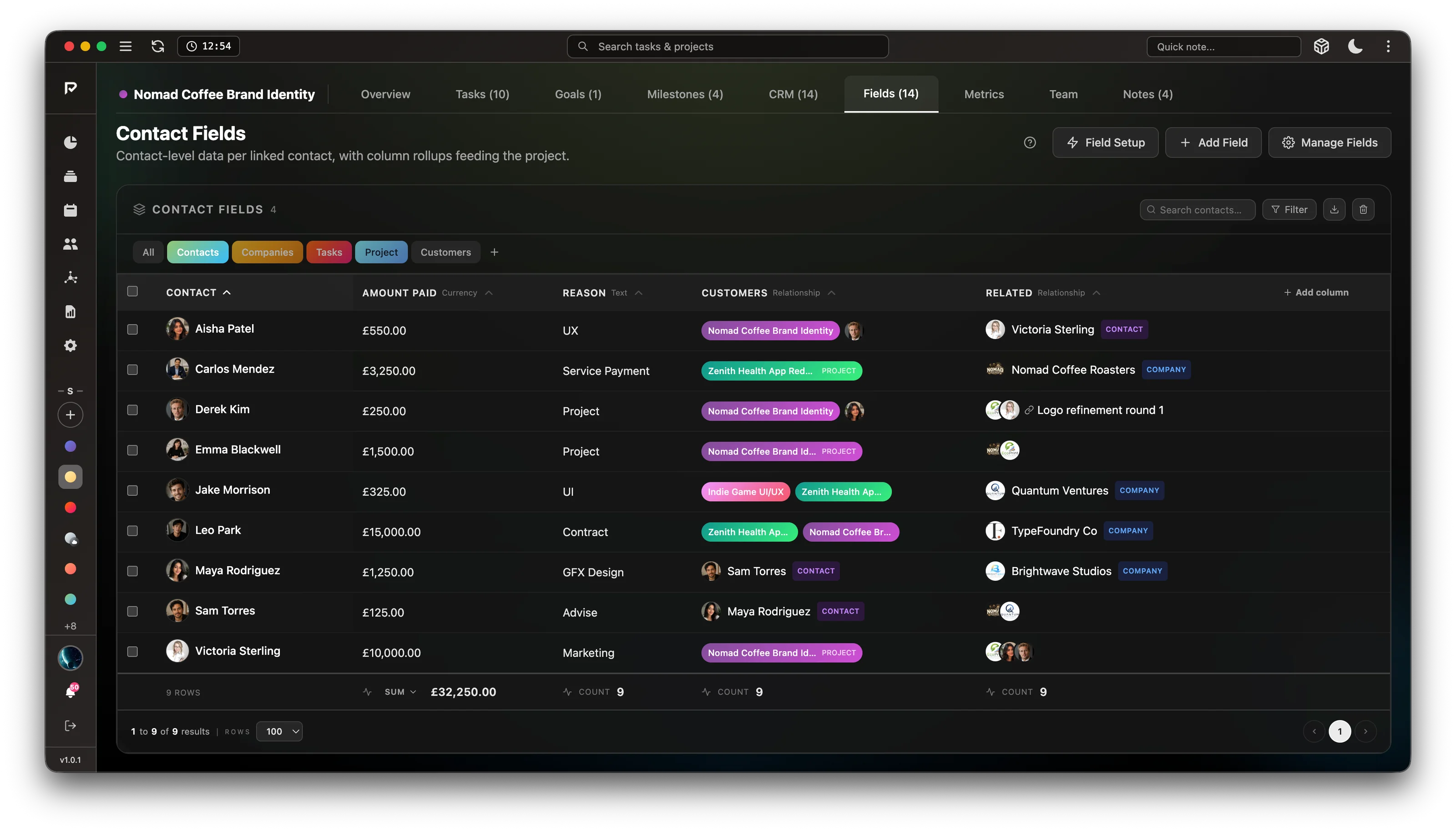
PrimeTask 1.0.1 brings Project Database, a whole new way to shape a project's data, with custom fields on every project, spreadsheet-style rows that can list linked contacts, companies, or tasks in place, one-click setups for Pay Schedule, Contractor Costs, and Budgeting, and numbers that roll upward on their own. PrimeFlow gains tracked time right on the canvas, with per-task and per-group totals, project rollups, hover previews for the last seven and thirty days, and overdue cards that turn amber then red. Every report now exports as a print-ready PDF with clean headings, tables, and page numbers, straight from the Reports page. A full round of PrimeFlow mind map polish adds keyboard building, auto-balanced branches, top-to-bottom and radial layouts, and smooth curved connectors. PrimeTask is also dramatically faster wherever people appear on your work, with profile photos that update everywhere the moment you change them and stream across your other computers on their own. Custom fields now export with your contacts and companies, images and attachments gain Copy and Download in the preview, task cards show a paperclip when files are attached, Quick Filters gain a due date filter and every custom field type, and the app itself is a much lighter download.
- Project Database (Pro), every project gets its own database with custom fields, spreadsheet-style rows for linked contacts, companies, or tasks, one-click setups for Pay Schedule, Contractor Costs, and Budgeting, and numbers that roll upward on their own
- PrimeFlow Tracked Time, task time totals right on the canvas, group and project rollups, hover previews with the last seven and thirty days, and overdue cards that stand out at a glance
- Reports PDF Export, save any report as a print-ready PDF with clean headings, tables, and page numbers, straight from the Reports page
- PrimeFlow Mind Maps, Tab and Return keyboard building, auto-balanced branches, top-to-bottom, left-to-right and radial layouts, and smooth curved connectors
- Dramatically faster with people on your work, profile photos update everywhere the moment you change them, and Isolated CRM projects get a tidier assignee picker, plus custom fields in CRM export and Copy and Download for images and attachments across the app
PrimeTime, ClickUp Import & 1.0 Stable
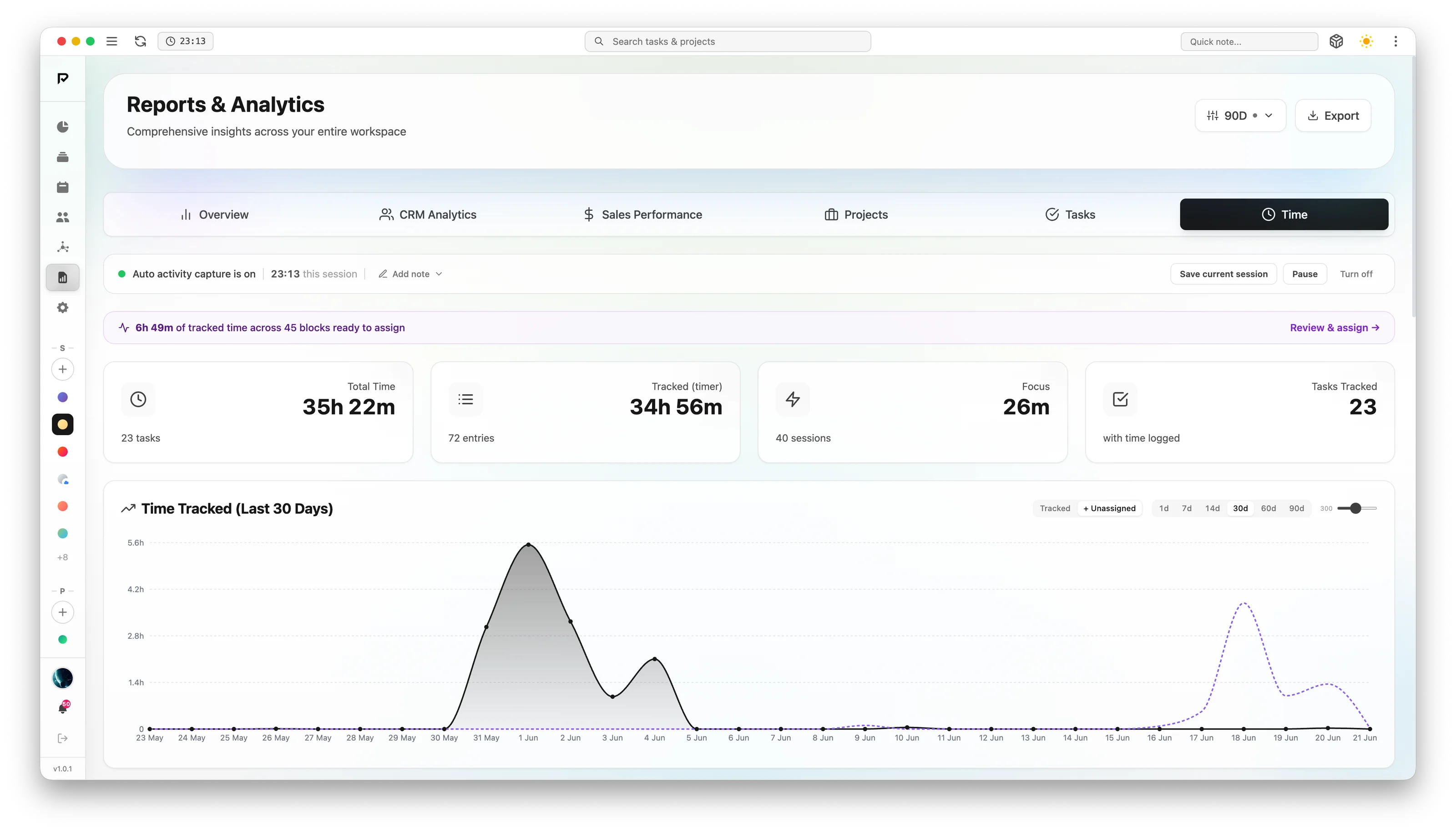
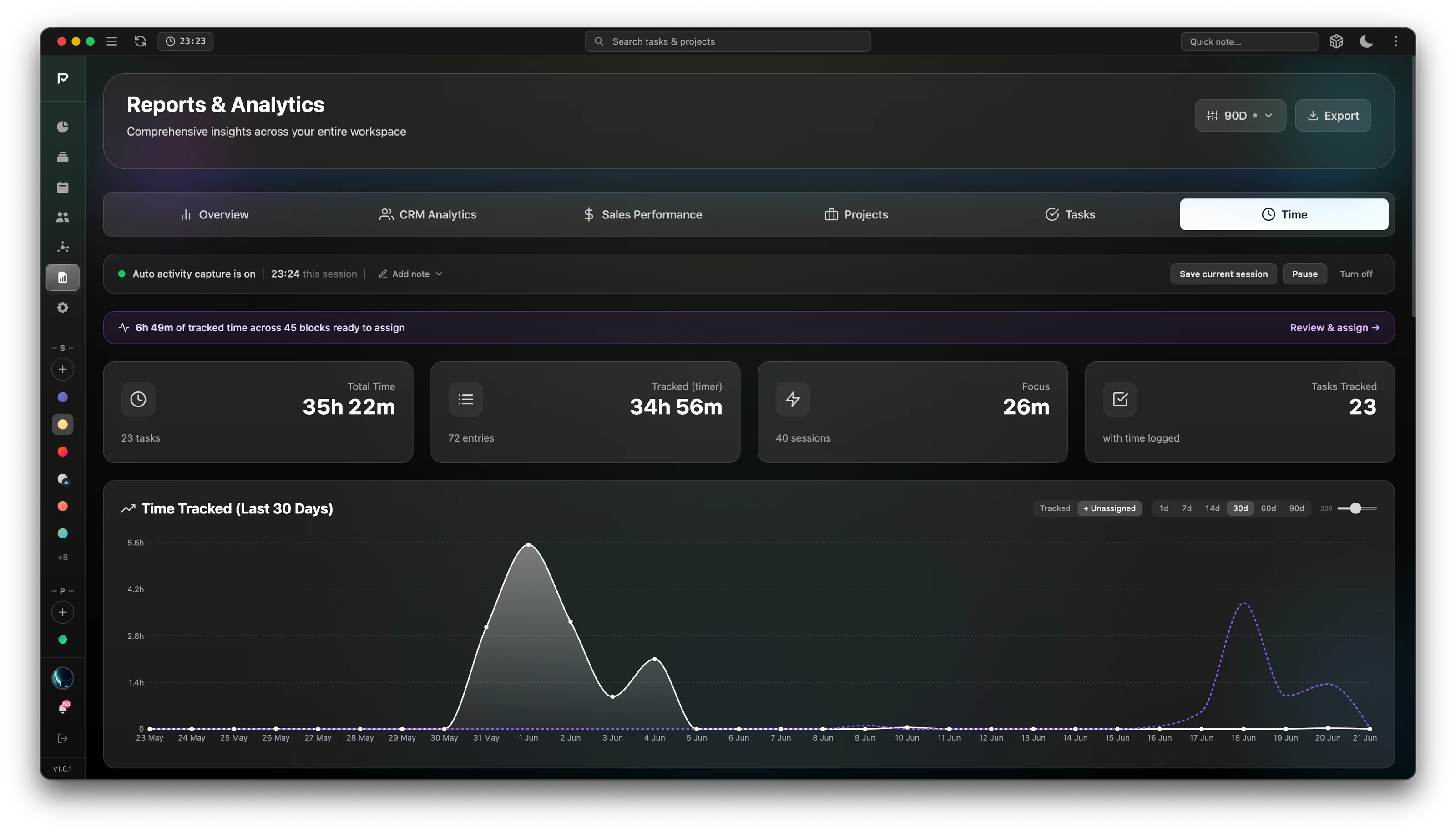
PrimeTask 1.0 is here, our first stable release. PrimeTime brings automatic time tracking that notices when you are working without ever starting a timer, with a Time Inbox to review and assign captured sessions, quick notes that travel with your time, and a space-wide Time tab in Reports. One-step ClickUp import turns a CSV export into projects with subtask hierarchy, tags, dates, priorities, and checklists intact. Pausable task timers, richer CRM activities across linked projects, zip exports with a time-tracking spreadsheet, smarter update channels, and a deep round of performance polish and fixes round out the release.
- PrimeTime automatic time tracking (Pro), notices when you are active or away and turns it into working sessions you assign to tasks later, with everything kept on your computer and completely opt in
- Time Inbox, review your captured time grouped by part of the day, give each session a description, jot notes as you work, and assign one or several sessions to a task in one go
- One-step ClickUp import, export your ClickUp tasks as a CSV and the wizard brings them in as projects with subtasks, tags, dates, priorities, and checklists preserved
- Pausable task timers, pause a running timer and pick it up exactly where you left off so a break, a call, or stepping away never inflates your tracked time
- Reports Time tab, see all the time tracked across a space including timer sessions and focus time, and export it whenever you need
LinkedIn Templates, Reminders & Split View
Personalised LinkedIn outreach with reply tracking, plus a brand-new Reminders System with natural-language Quick Add (remind:30m, remind:9am) and persistent toasts. New Project Tasks Split View brings a draggable list and detail pane side by side. Copy whole task sets between Spaces in one click. Guided import wizards for Apple Contacts, Google, Outlook, HubSpot, Salesforce, CSV, and JSON. Project Notes finally gets a full rich content editor with slash commands and a floating toolbar. Window Position Memory, more reliable Bring Your Own AI tool calls, and File Sync polish round out the release.
- PrimeCRM LinkedIn Message Templates, personalised outreach with reply tracking, sortable library by recently used / most used / pipeline stage, and a Template Usage history modal
- Reminders System, natural-language Quick Add with remind: tokens, persistent on-screen toasts with Dismiss / Complete / Show task, in-task bell control, 15-minute snooze, personal in shared spaces
- Project Tasks Split View, draggable side-by-side list and detail pane on the project Tasks tab with status, priority, dates, progress, subtasks, checklist, custom fields, and timer in the preview
- Copy Tasks Between Spaces, right-click a task or multi-selection (up to 100 at once) to drop a clean copy into another Space with auto-mapped status and priority
- Project Notes Editor, full rich content editor with slash commands, floating selection toolbar, right-click menu, markdown paste, and rich-text copy
Live Pipelines for PrimeCRM
Wire any kanban Task Board to your contact and company statuses -the board becomes a live pipeline view. Drag a CRM task across stages and the linked record updates everywhere instantly. Two pre-mapped templates ship out of the box. Plus a free Obsidian companion plugin, a 22-colour palette for custom CRM statuses, a tabbed PrimeCRM Settings card, inline status editing on the detail pages, and Contact Birthdays with one-click recurring reminders.
- Pipeline Boards -kanban lists wired to contact / company status, bidirectional sync, two pre-mapped templates (Sales Pipeline, Client Lifecycle)
- PrimeTask for Obsidian (Private Beta) -free companion plugin, two-way sync on status / priority / due date / progress / description, all-local traffic
- 22-colour palette for custom CRM statuses with tabbed PrimeCRM Settings, safe-delete modal with reassignment, and inline status editing on Contact / Company Detail pages
- Contact Birthdays -friendly age line, countdown to next birthday, one-click recurring reminder
- Task Notes editor upgrades -X posts and YouTube embeds redesigned, fullscreen image lightbox, one-click links
Bring Your Own AI
Connect AI agents like Claude, Cursor, and LM Studio directly to your workspace through a built-in MCP server. 100+ tools across tasks, projects, CRM, PrimeFlow canvases, focus sessions, and custom fields -all local, fully audited, with granular permissions. Build entire mind maps and documentation canvases with a single bulk command, or let an agent answer questions about your workspace while it works alongside you.
- 100+ tools across tasks, projects, goals, milestones, CRM, PrimeFlow, focus sessions, and custom fields
- Streamable HTTP + stdio dual transport -connect from any MCP-compatible tool
- 5 built-in prompts: daily standup, weekly review, project status, CRM summary, overdue triage
- Security first -Bearer token auth, read/write controls, space access limits, audit logging
- AI agents can read your docs directly -ask "how does X work in PrimeTask" and get answers from the documentation
Fixes, Polish & Bulk Actions
No new features -just fixes and polish based entirely on your feedback. Smarter selection toolbars, bulk assign across every view, a refined date picker, clickable dashboard health badges, and over a dozen quality-of-life improvements that make the existing experience smoother.
- Bulk assign -select multiple tasks and assign them all at once from List, Board, or fullscreen
- Clickable health badges -see exactly why a project is "At Risk" and what to do about it
- Selection toolbars now dismiss properly across Calendar, Day Planner, and Gantt
File Sync
Sync your spaces across devices using Dropbox, Google Drive, iCloud Drive, Synology, or any folder-based cloud storage. Your data stays in plain JSON files you own -no proprietary cloud, no vendor lock-in.
- Folder-based sync -point PrimeTask at any cloud-synced folder
- Works with Dropbox, Google Drive, iCloud Drive, OneDrive, Synology, or any network share
- Optional AES-256 encryption keeps shared spaces private
- Conflict-free merging -changes from multiple devices are merged safely
- Plain JSON files -your data is always readable, exportable, and yours